Swift on Android vs Kotlin Multiplatform: which one should share your code?
Swift 6.3 brought an official Swift SDK for Android. How it compares with Kotlin Multiplatform, and how to choose which one shares your app's code.

3 min read
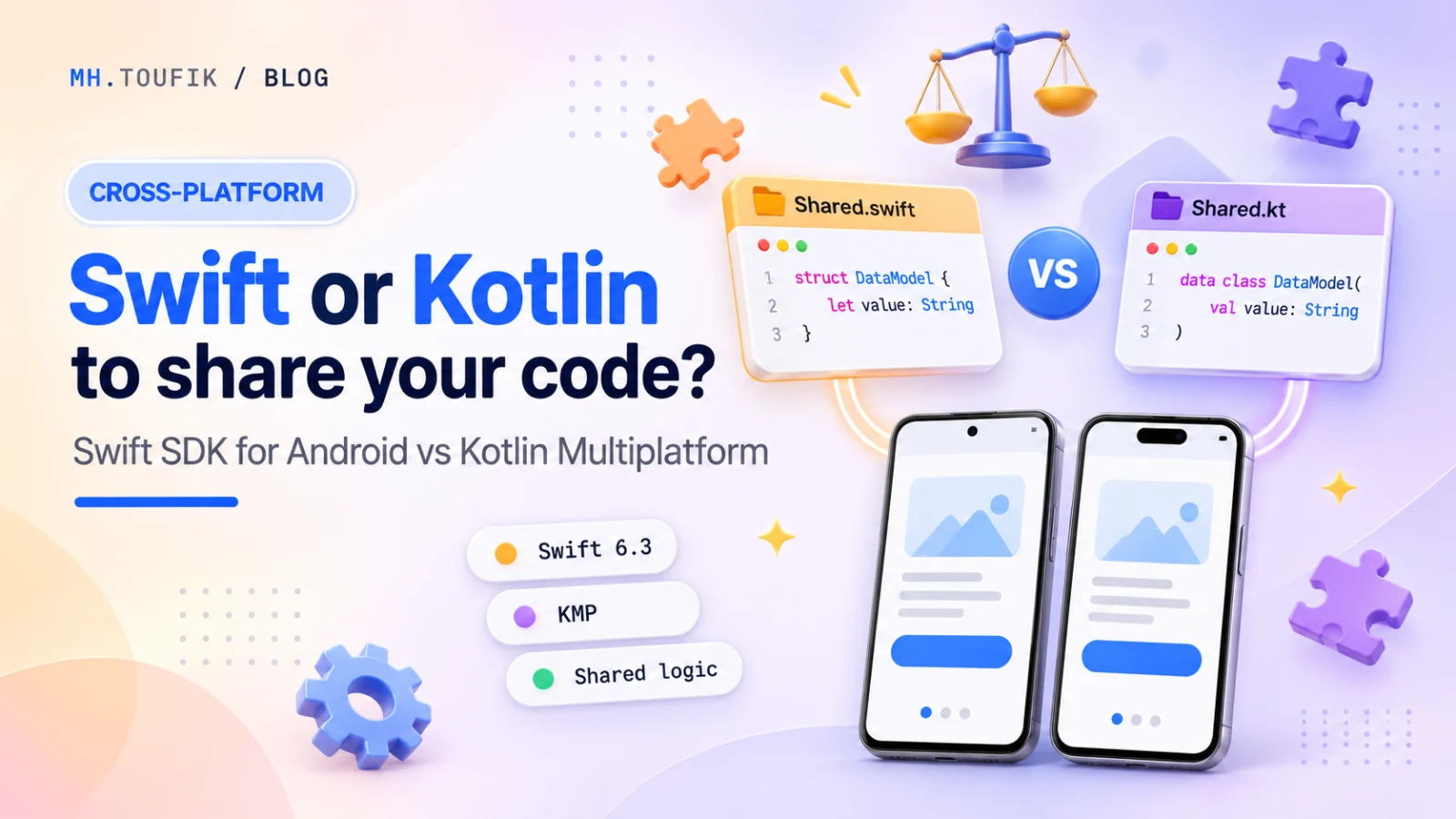
For years, sharing code between Android and iOS meant one serious option for native developers: Kotlin Multiplatform (KMP). Write your logic once in Kotlin, use it from Swift on iOS.
In March 2026 the other side made its move. Swift 6.3 shipped the first official Swift SDK for Android. Now an iOS team can write shared logic in Swift and use it from an Android app.
So which one should you pick? I build with KMP myself (my প্রশ্নব্যাংক question bank app shares its core between Android and iPhone), so I'll try to be fair about both.
What each one actually does
Kotlin Multiplatform lets you write shared code in Kotlin: models, networking, database and business rules. On Android it's just Kotlin. On iOS it compiles to a native framework that Swift can call. If you want, Compose Multiplatform lets you share UI too, and it's stable on iOS.
The Swift SDK for Android lets you compile Swift for Android. You build your Swift code into native libraries and call them from your Kotlin or Java app through swift-java, which handles the JNI plumbing for you. In Swift.org's words, you can "integrate Swift code into existing Android applications written in Kotlin/Java".
The key point: the Swift SDK shares logic, not UI. Your Android screens are still built with Android tools, like Jetpack Compose. There's no official SwiftUI for Android.
How to choose
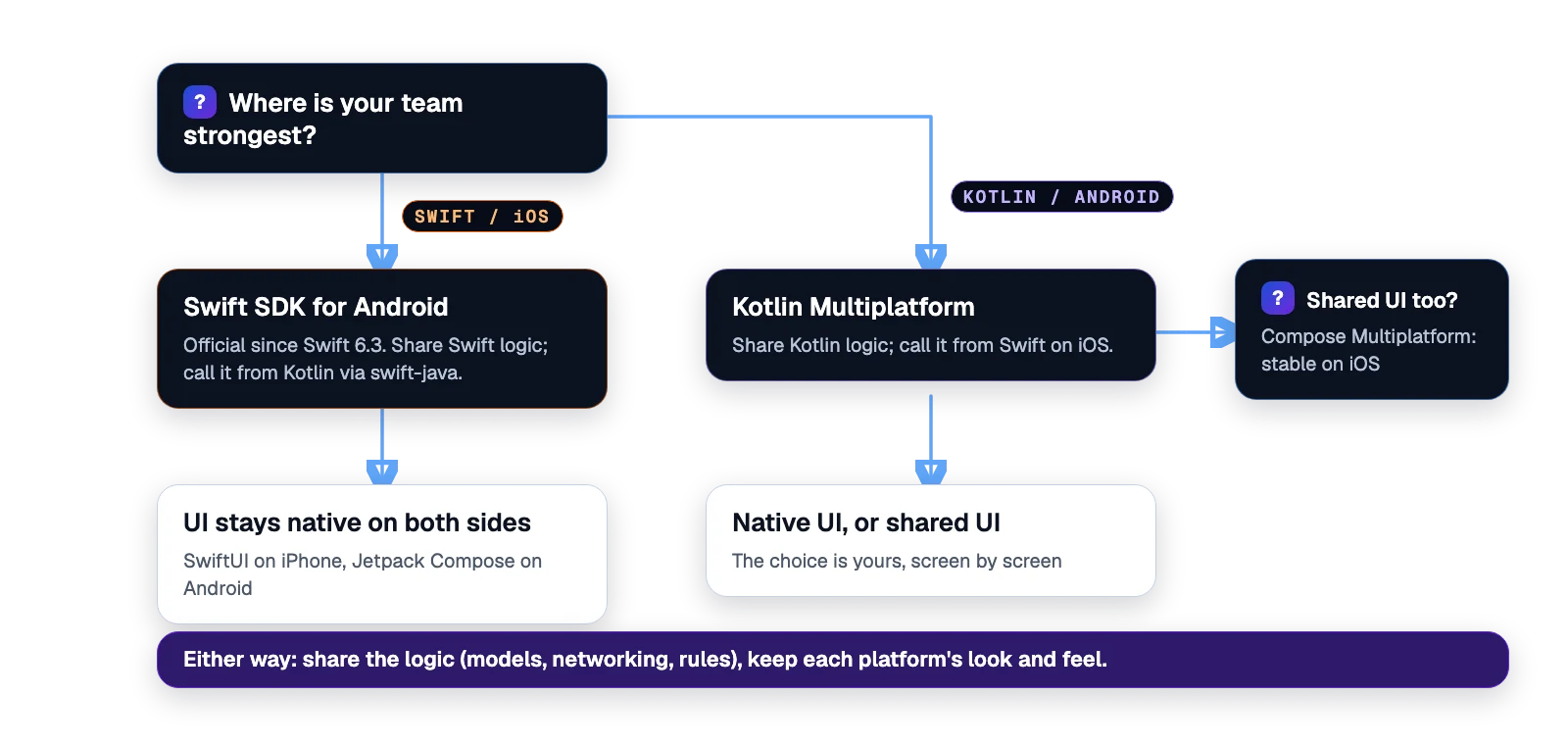
The simplest question is: where is your team strongest, and where does your existing code live?
Pick the Swift SDK for Android if…
- You have a mature iOS app with a lot of logic already in Swift.
- Your team is mostly iOS developers, and Android is the newer platform.
- You want to bring specific Swift modules (a parser, a sync engine, a calculation library) to Android, not rebuild your whole architecture.
Be ready for some rough edges. The SDK is officially released, but the tooling is young. Swift.org's getting-started guide covers command-line builds and points to examples for full apps; there's no one-click Android Studio template yet.
Pick Kotlin Multiplatform if…
- You're starting fresh, or your Android app is the stronger one.
- Your team knows Kotlin, which most Android developers do.
- You might want shared UI later. Compose Multiplatform gives you that option, screen by screen.
- You want a mature ecosystem. JetBrains reports the number of top apps using KMP has roughly doubled in a year, and there are thousands of multiplatform libraries.
KMP has its own rough edges on the iOS side. Calling Kotlin from Swift still goes through an Objective-C layer by default, and the newer Swift export is still early. Tools like SKIE help a lot in the meantime.
What I'd share, either way
Whichever language you choose, the best things to share are the same:
- Data models and validation rules
- Networking and API clients
- Business logic: pricing, scoring, syncing and offline rules
- Local storage and caching
And the things I'd usually keep native:
- UI and navigation, unless you're happy with Compose Multiplatform's look on iOS
- Platform features like notifications, widgets and background work
- Anything that should feel exactly like the platform
In প্রশ্নব্যাংক, the shared Kotlin core holds the questions, search, exam timing and progress. The Android app uses Jetpack Compose, and the iPhone app uses SwiftUI. Each one feels native, and I write the hard logic once.
My take
For most teams starting today, Kotlin Multiplatform is still the safer default. It's more mature, it has more libraries, and it gives you the option of shared UI.
But the Swift SDK for Android is genuinely good news. It gives iOS-first teams a path to Android that doesn't mean rewriting everything in a new language. Over the next year, I expect both tools to get much better, and that competition is great for all of us.
The real lesson is the same either way: share the logic, keep the experience native.
Keep reading
All posts
Compose Multiplatform for iOS is stable. Should you share your UI now?
Compose Multiplatform for iOS has been stable since May 2025. Here's when sharing UI between Android and iOS pays off, and when native SwiftUI still wins.
4 min read

Agent-ready apps: AppFunctions, App Intents, and why AI assistants will use your app
AI assistants are learning to use apps for us. How AppFunctions on Android and App Intents on iOS work, and how to make your app agent-ready.
4 min read
Xcode 27 and iOS 27: Liquid Glass is the default, and what else to prepare
Liquid Glass, Swift 6.4, agents in Xcode, Device Hub and an Apple-silicon-only IDE. A practical checklist to get your app ready for iOS 27.
3 min read
Comments
No comments yet — start the conversation.